Point your camera at a table.
Get a spreadsheet.
Bank statements, receipts, price lists, inventory sheets, tables in books and papers. SheetSnap reads the grid and hands you an editable table that exports to Excel — entirely on your iPhone.
Download on the App StoreYour documents never leave your phone
There is no account, no sign-in and no upload. Recognition and conversion run on your device using Apple's Vision framework. Bank statements and payslips are exactly the kind of thing that should not be sent to somebody else's server, so SheetSnap doesn't.
This is a claim you can check rather than one you have to take on faith: the app makes no network requests of its own, and its App Store privacy label says Data Not Collected.
The table stays a table
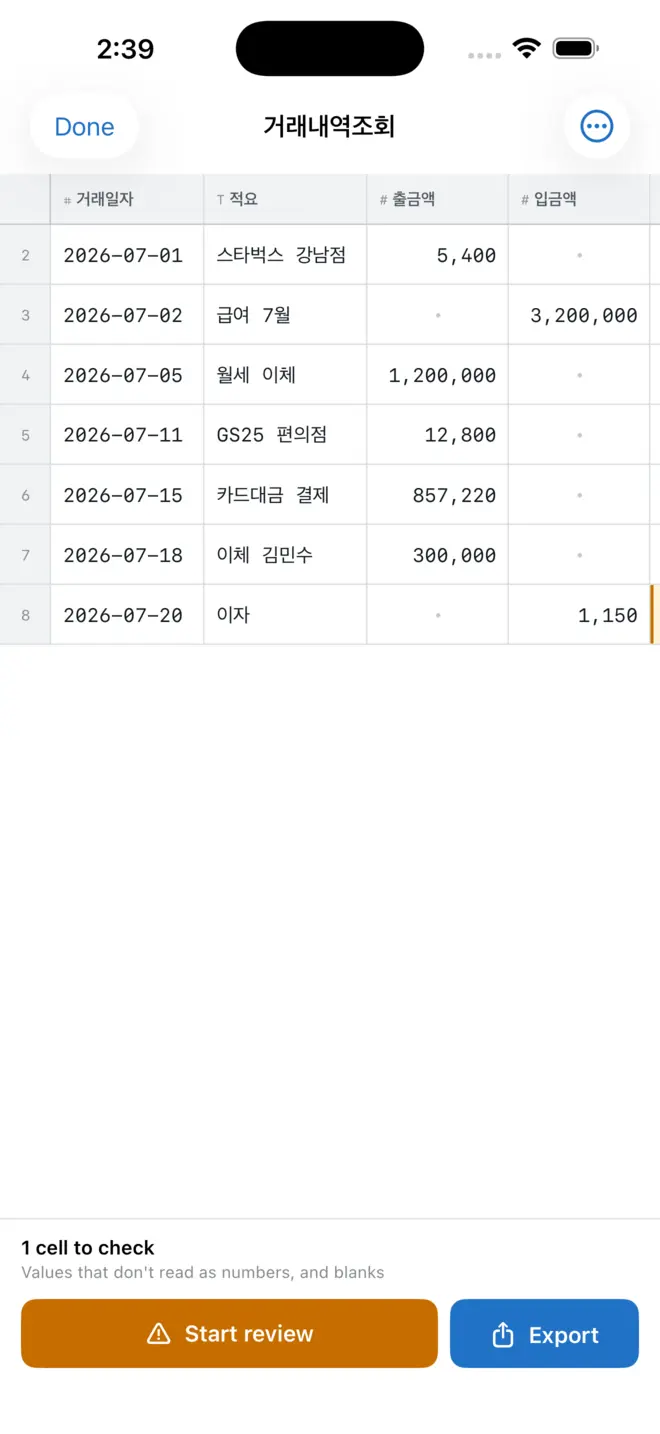
Most scanning apps hand you a wall of text and wish you luck. SheetSnap keeps the table a table: rows stay rows, columns stay columns, and merged headers stay merged.
It tells you where to look
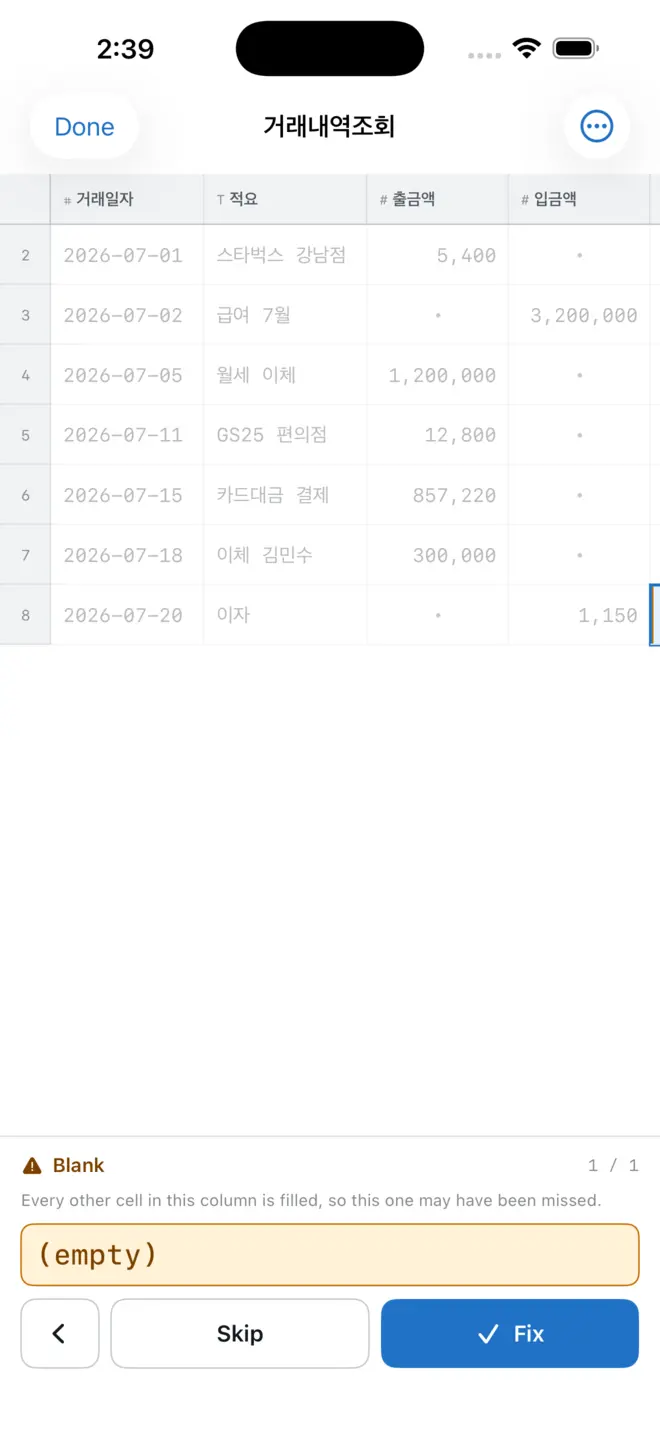
Recognition is never perfect, and an app that pretends otherwise wastes your time in a worse way — you end up proofreading everything. SheetSnap marks the cells worth checking and explains why: a value that doesn't read as a number in a column of amounts, a blank where every other row has data. You check three cells instead of eighty, with the original photo beside you. How often it gets a cell right was measured across thirty documents.
What it does
Four ways in
Camera with edge detection, photos and screenshots, PDF pages, anything already in your library.
Edit before you export
Fix any cell, delete rows and columns, compare against the original, set the header row. Pinch the grid to zoom, double-tap to reset it.
Export
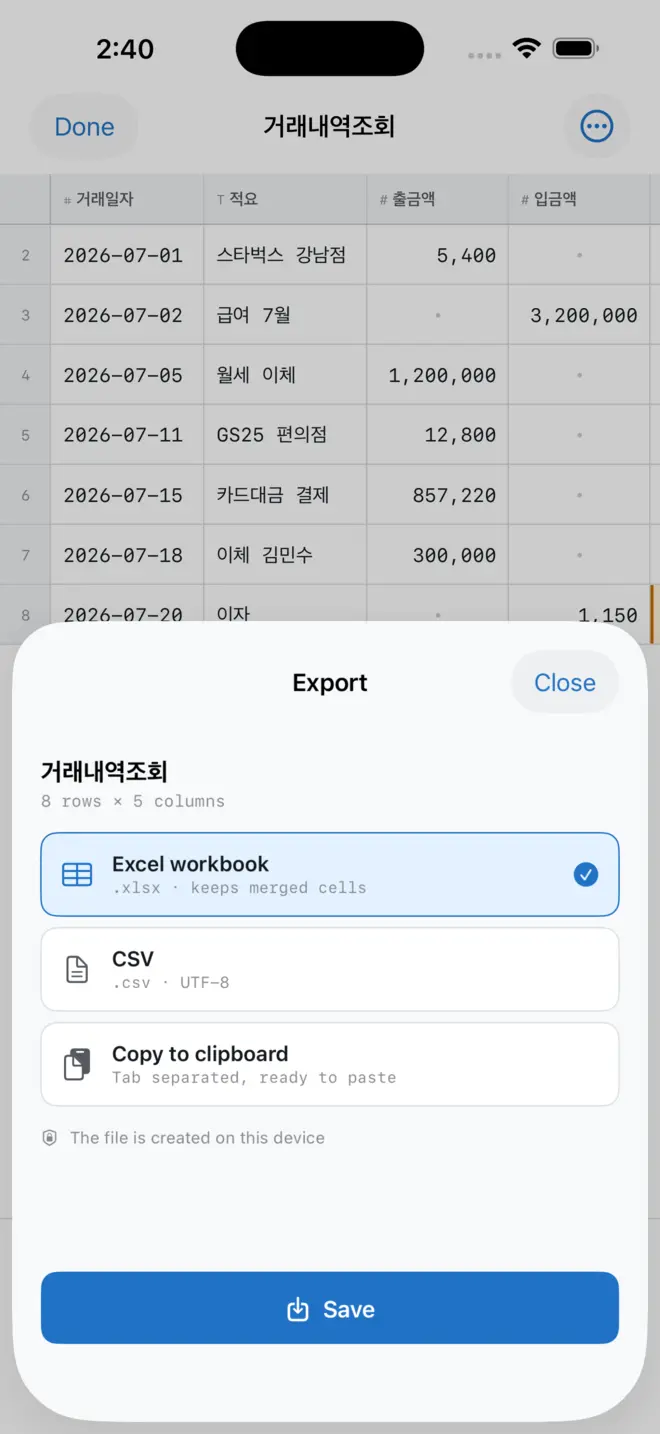
Excel workbook with merged cells and number formats preserved, CSV, or straight to the clipboard.
Your documents stay
See them as a list or as cards. Swipe one away, or select several and delete them together. Each shows what you exported and how many cells it flagged.
Free and Pro
Three documents free with every feature unlocked. Pro removes the document limit.
Three ways out
An Excel workbook (.xlsx) keeps merged cells and number formats. CSV opens anywhere. Copy to clipboard pastes straight into the spreadsheet you already had open.
Requirements
iPhone running iOS 26 or later. Available in English and Korean, with both the language and the appearance — light, dark, or match the system — set inside the app rather than from the phone.
Questions? Support · 2pylab@gmail.com